ZBot in 10 easy steps
From your script to a finished video with pictures, voice and subtitles. Short and simple.
1 Get your key
- Message us on WhatsApp (the Support button on zakariyastudio.com).
- We send you your key.
2 Download and install
- Open zakariyastudio.com/portal, paste your key and press Sign in.
- Press Download next to ZBot.
- Open
ZBot-Setup.exeand press Next until it finishes. If Windows shows a blue warning, press More info → Run anyway.
Had the old ZBot 1.x? At the end, setup asks to remove it. Press Yes. Your key, projects and settings stay.
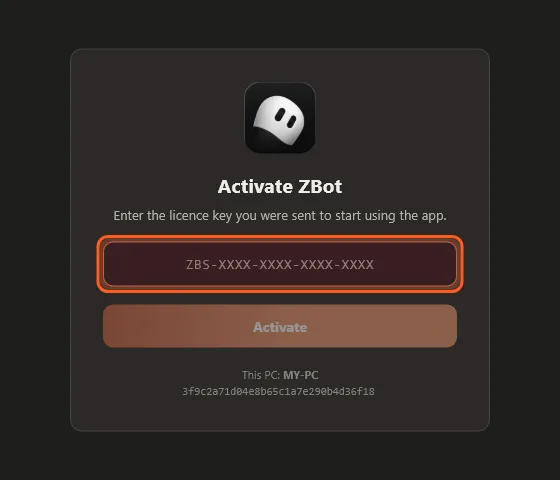
3 Activate
- Open ZBot.
- Paste the same key and press Activate.
4 Connect your accounts
ZBot makes the pictures with services you already use. Open Settings (top right) → Accounts.
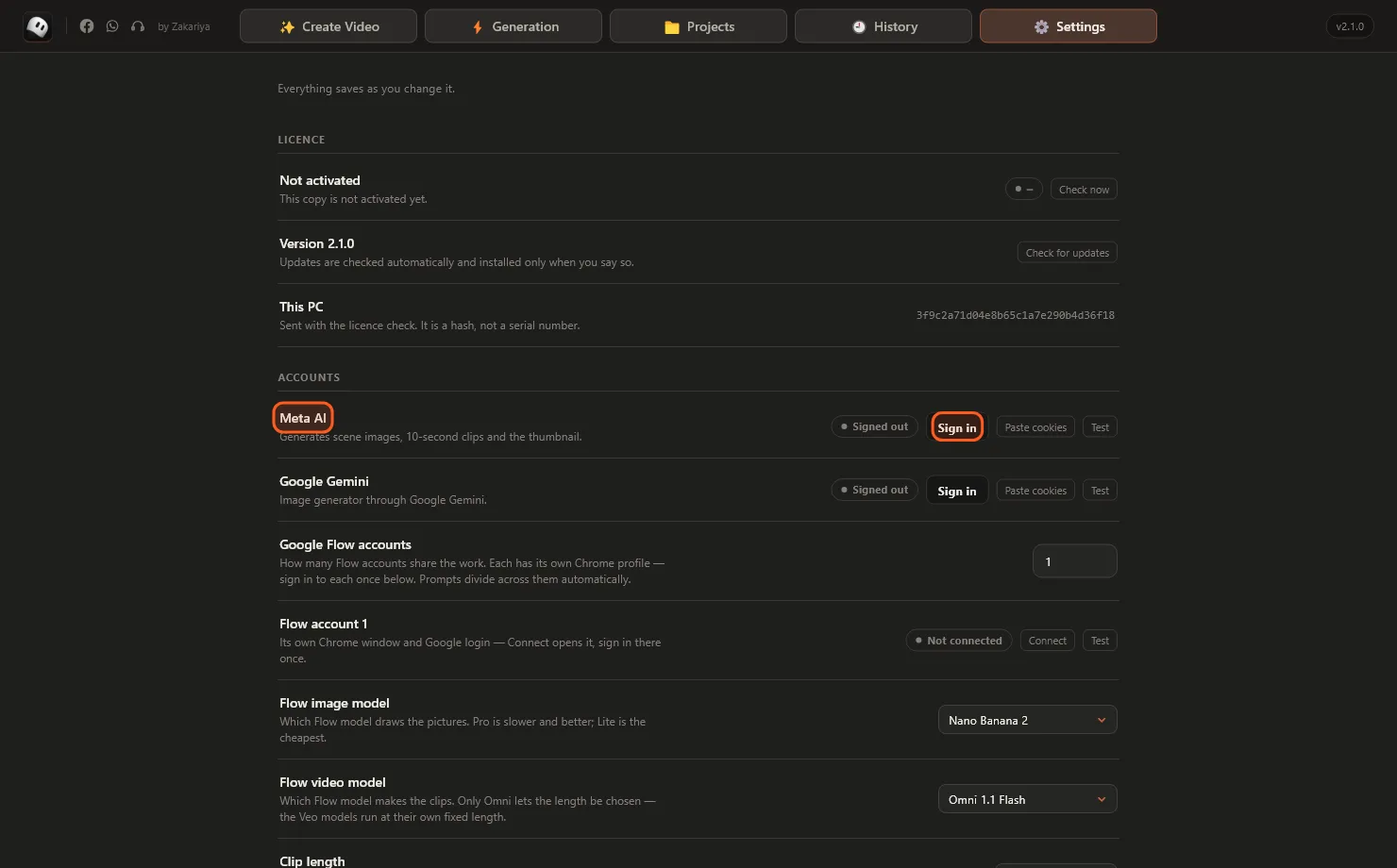
Press Sign in next to Meta AI or Gemini. A window opens inside ZBot. Log in and it closes by itself.
| Service | What it makes | How |
|---|---|---|
| Meta AI | Pictures and 10-second clips | Press Sign in and log in. |
| Google Gemini | Pictures | Press Sign in and log in. |
| Google Flow | Pictures and clips, best quality | Press Connect. A Chrome window opens, sign in once. |
| Pollinations | Pictures | Nothing to do. Free, just slower. |
Then scroll down to Images → Provider and choose the service you connected.
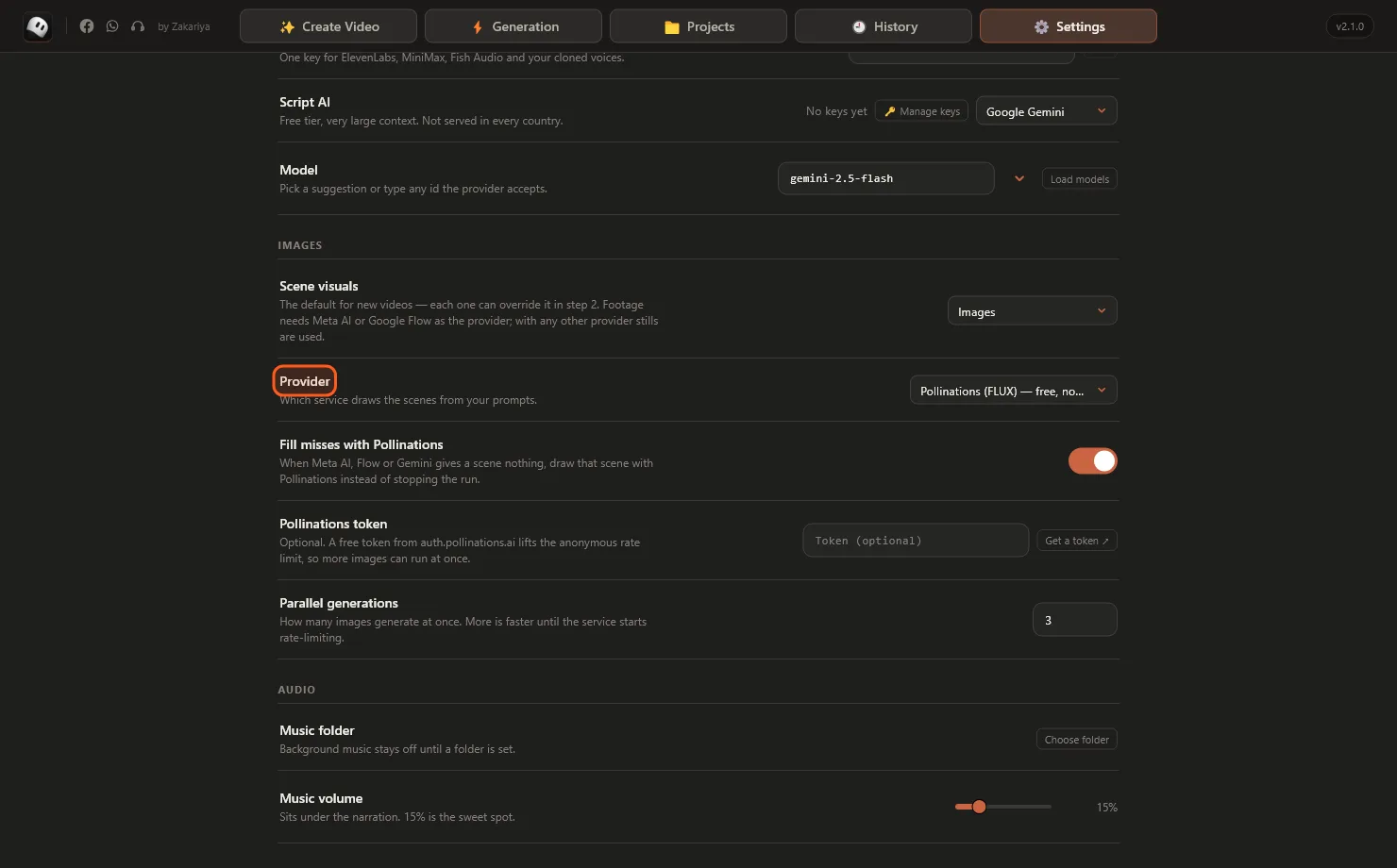
Keep Fill misses with Pollinations on, so a skipped scene never stops your video.
5 Choose Full Video
Press Create Video at the top, then the Full Video card.
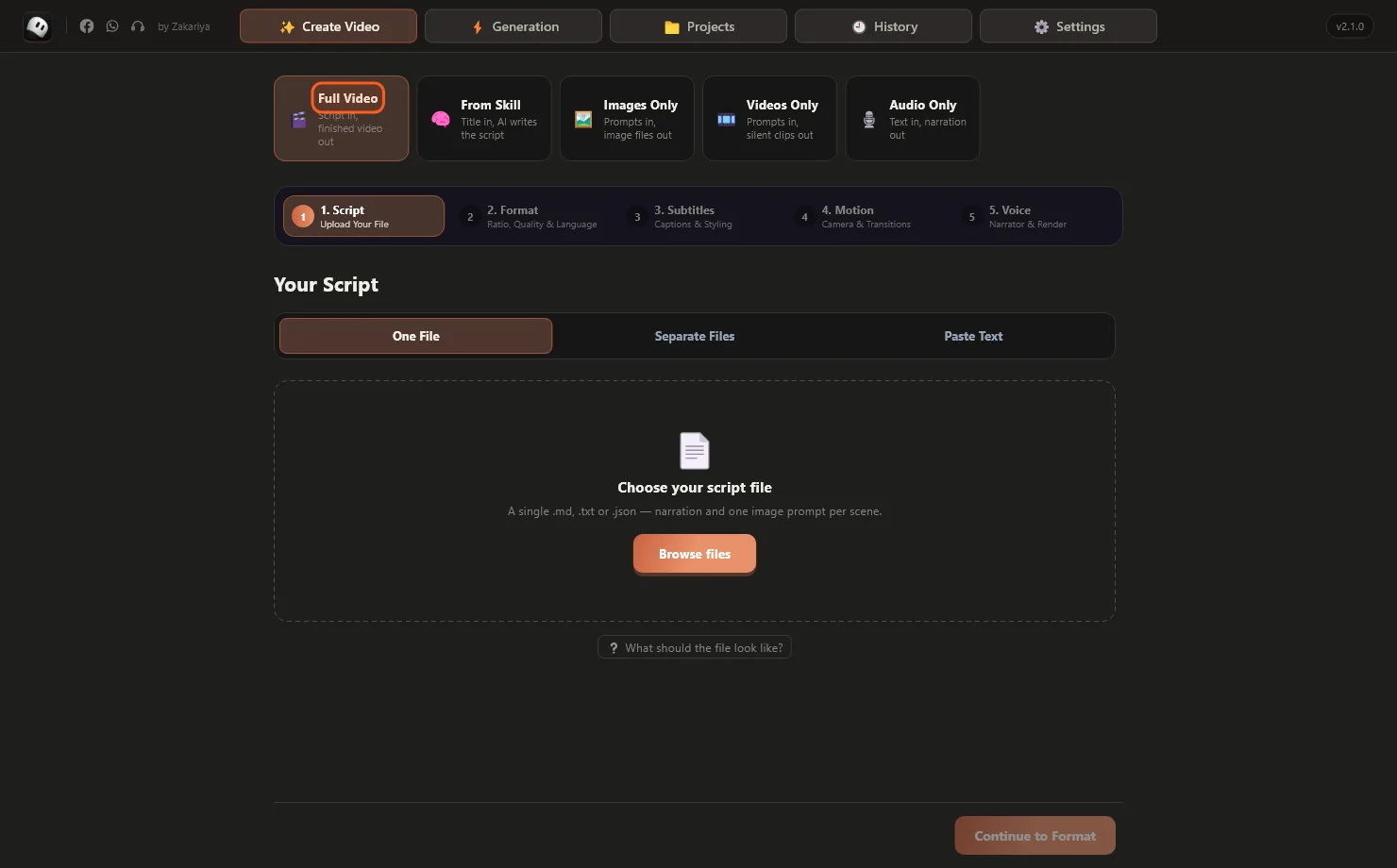
Full Video turns your script into a finished video.
6 Load your script
- Keep One File selected and press Browse files.
- Pick your script (
.txt,.mdor.json). - Check the scenes, then press Continue to Format.
A script is simple. Each scene has what the voice says and what the picture shows:
TITLE: The Lost City Beneath the Sand

## SCENE 1
NARRATION: In 1911, a young explorer stepped off the last train into the desert.
IMAGE: a lone explorer at the edge of a vast desert, golden hour, cinematic

## SCENE 2
NARRATION: For thirty days he followed an old caravan road...
IMAGE: a cracked stone road swallowed by sand dunes, dramatic sky
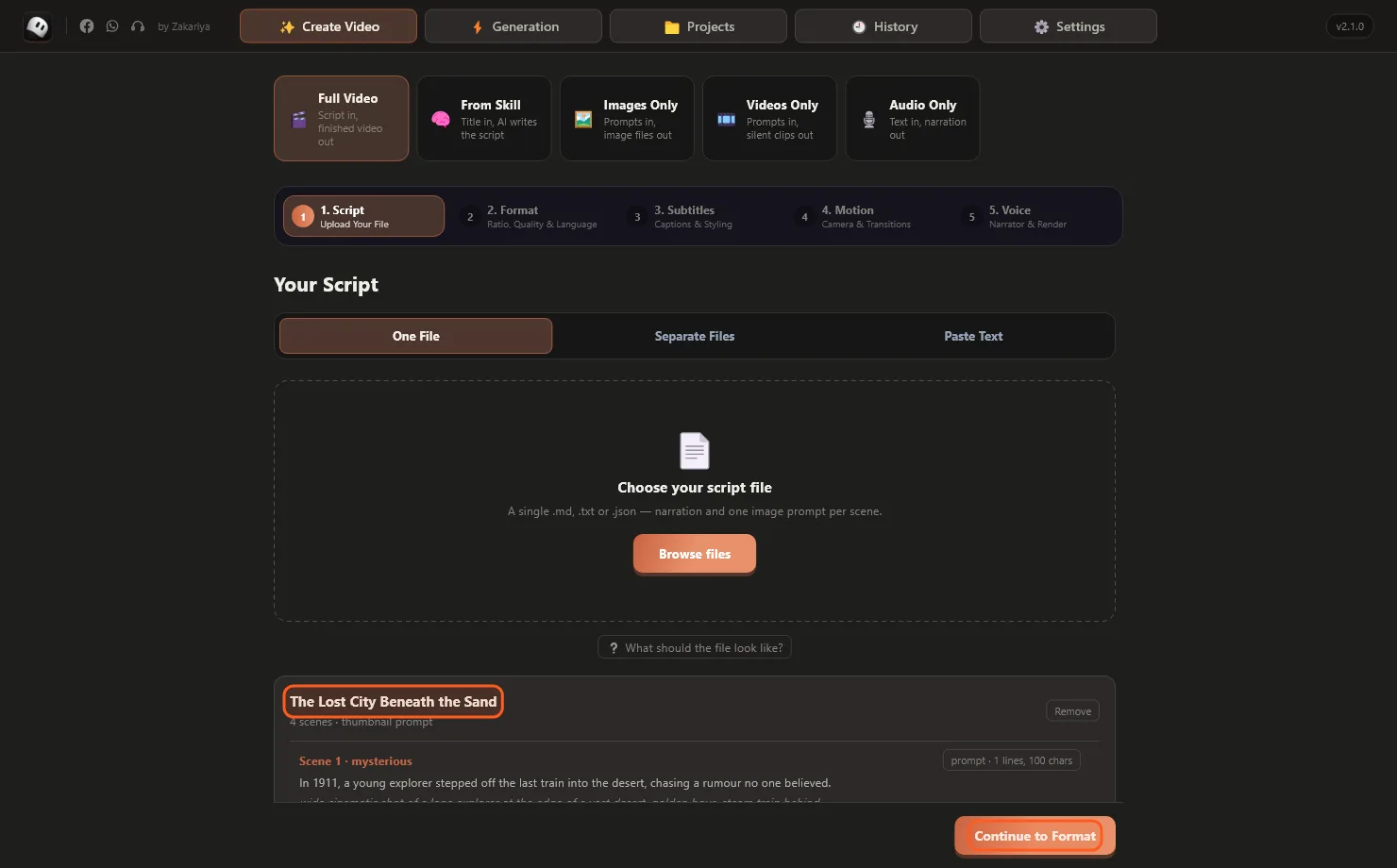
Your title and every scene appear so you can check them.
Have narration and prompts in two files? Use Separate Files. Or use Paste Text.
7 Format, subtitles, motion
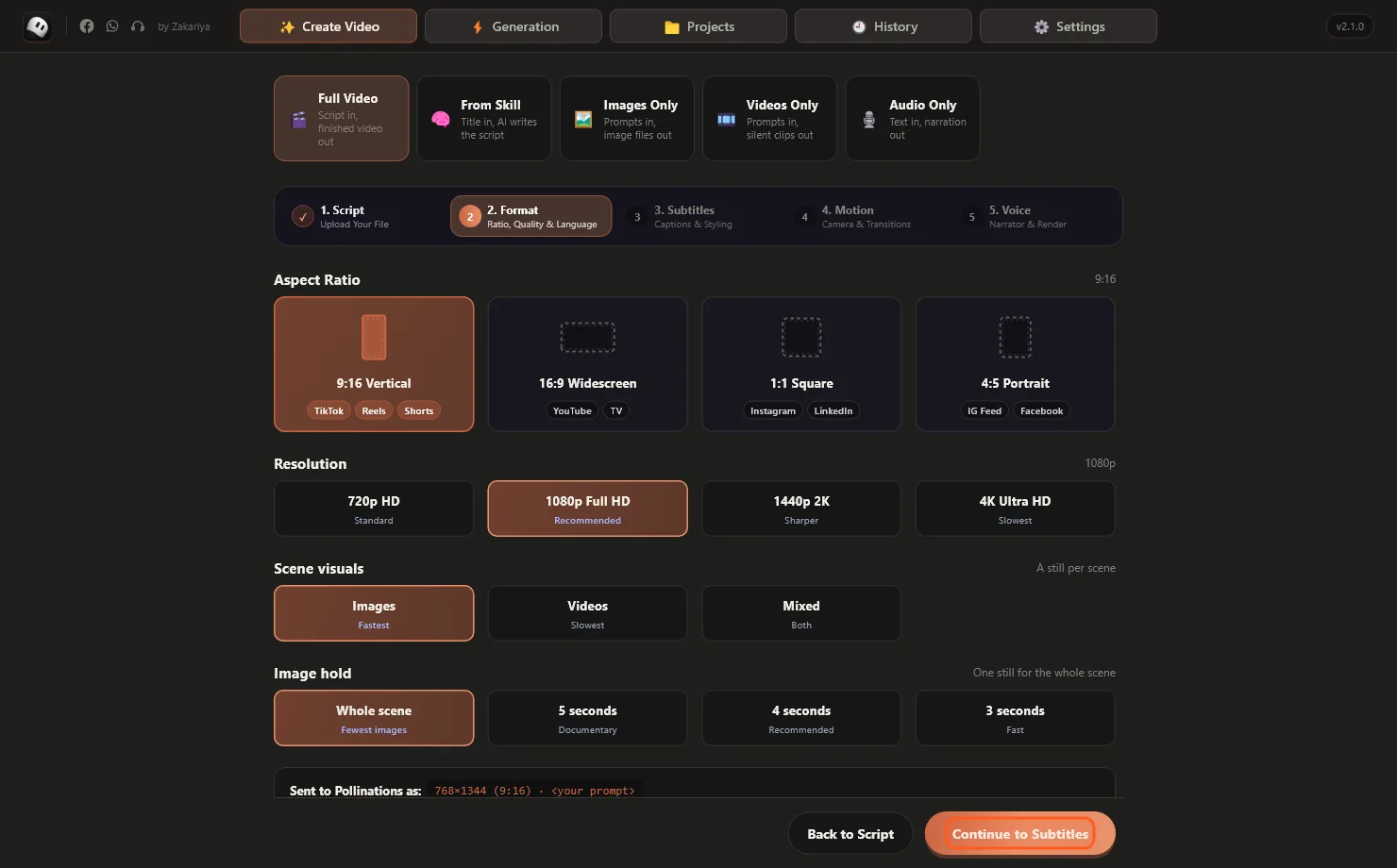
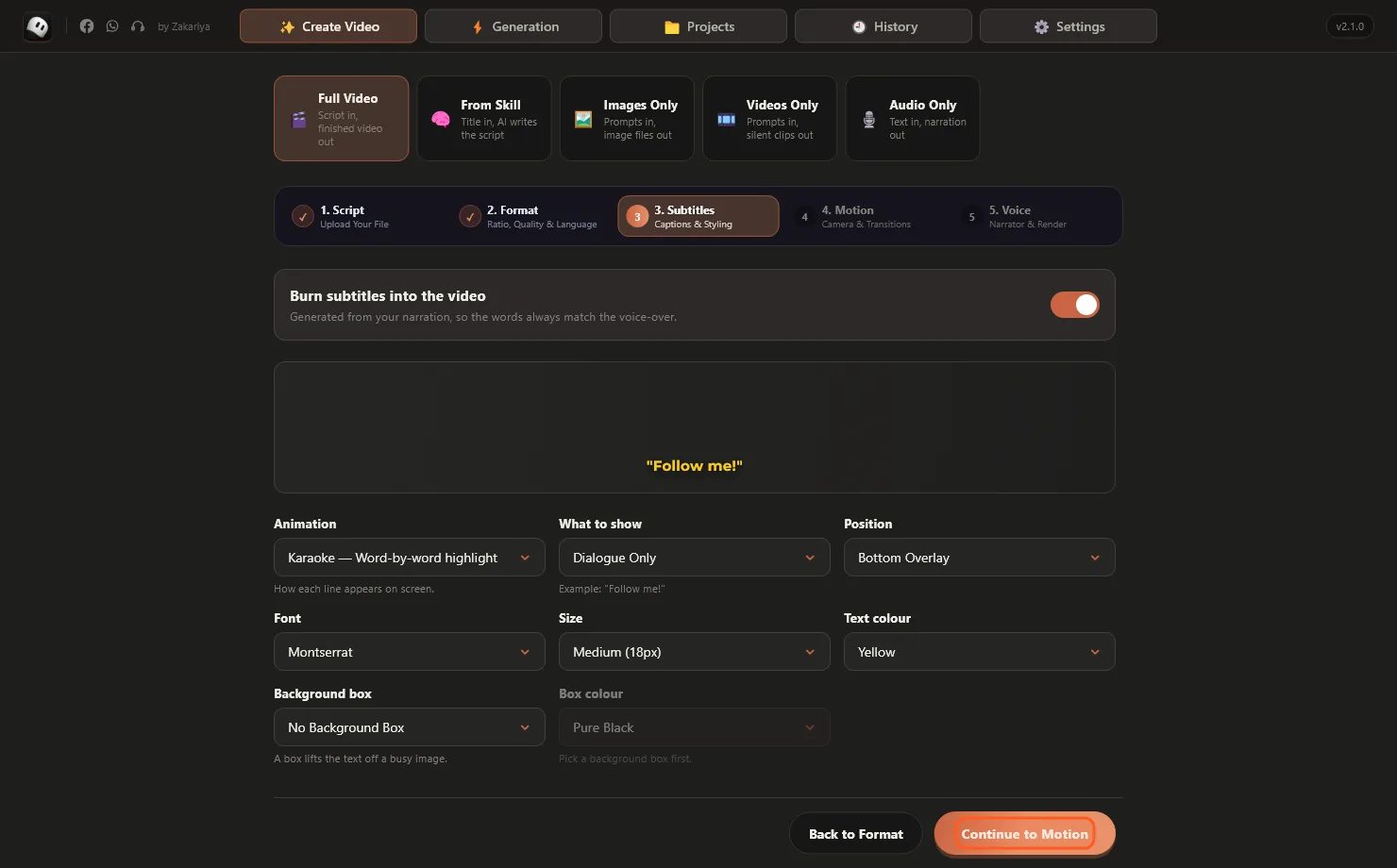
These have good settings already. Change what you need and press Continue.
- Format:
9:16for Shorts, Reels and TikTok.16:9for YouTube.1080pis best. - Subtitles: pick a style. Karaoke lights up each word as it is spoken.
- Motion: the camera moves slowly over each picture. Turn it off for flat drawings.
8 Pick a voice and press Generate
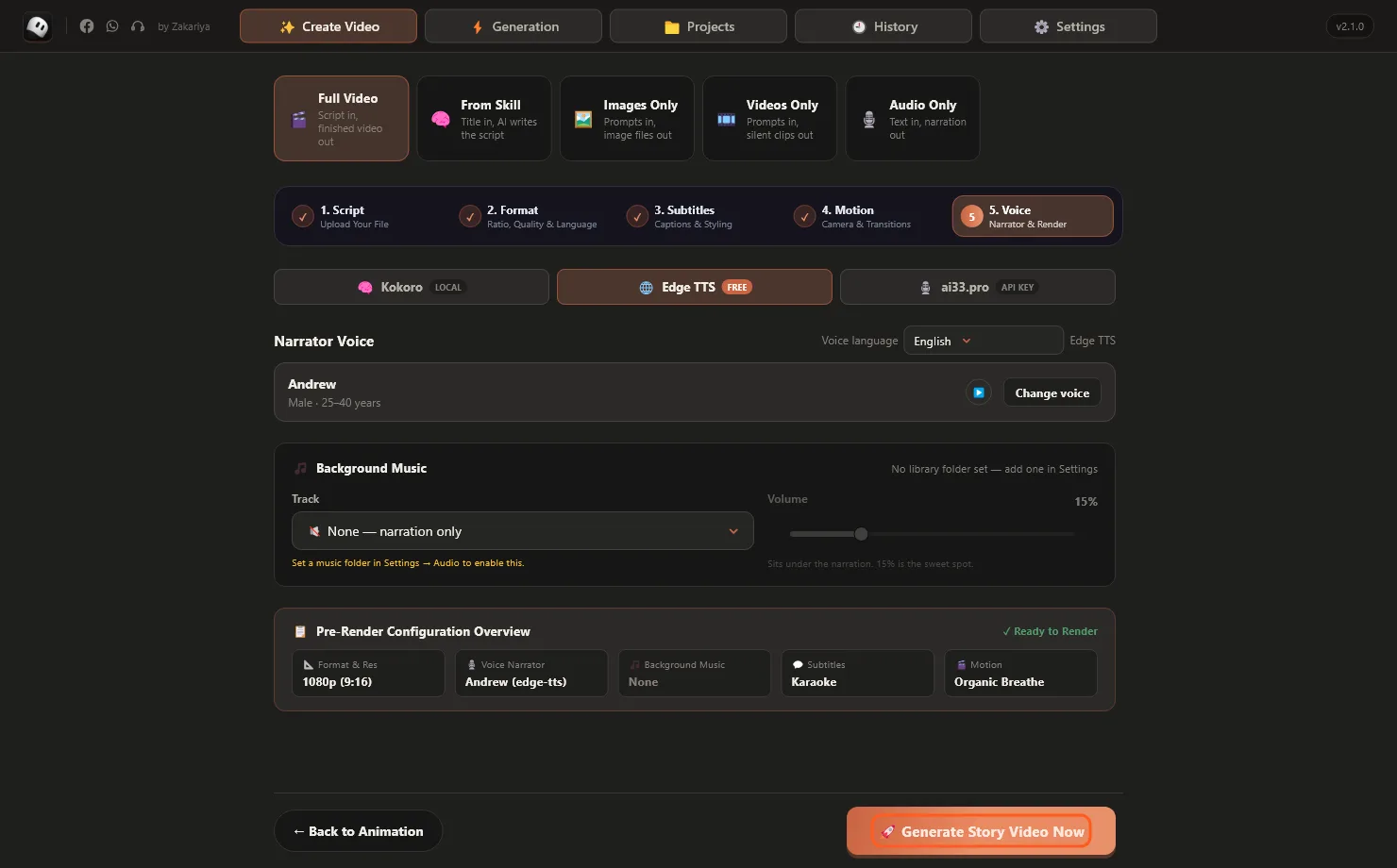
- Choose a voice engine: Kokoro (works offline), Edge TTS (free, many languages) or ai33.pro (premium, needs an API key).
- Press Change voice to listen and pick a narrator.
- Press Generate Story Video Now.
9 Watch it build and export
ZBot opens the Generation page. The ticks at the top fill in as it makes the pictures, the voice, the subtitles and the final video.
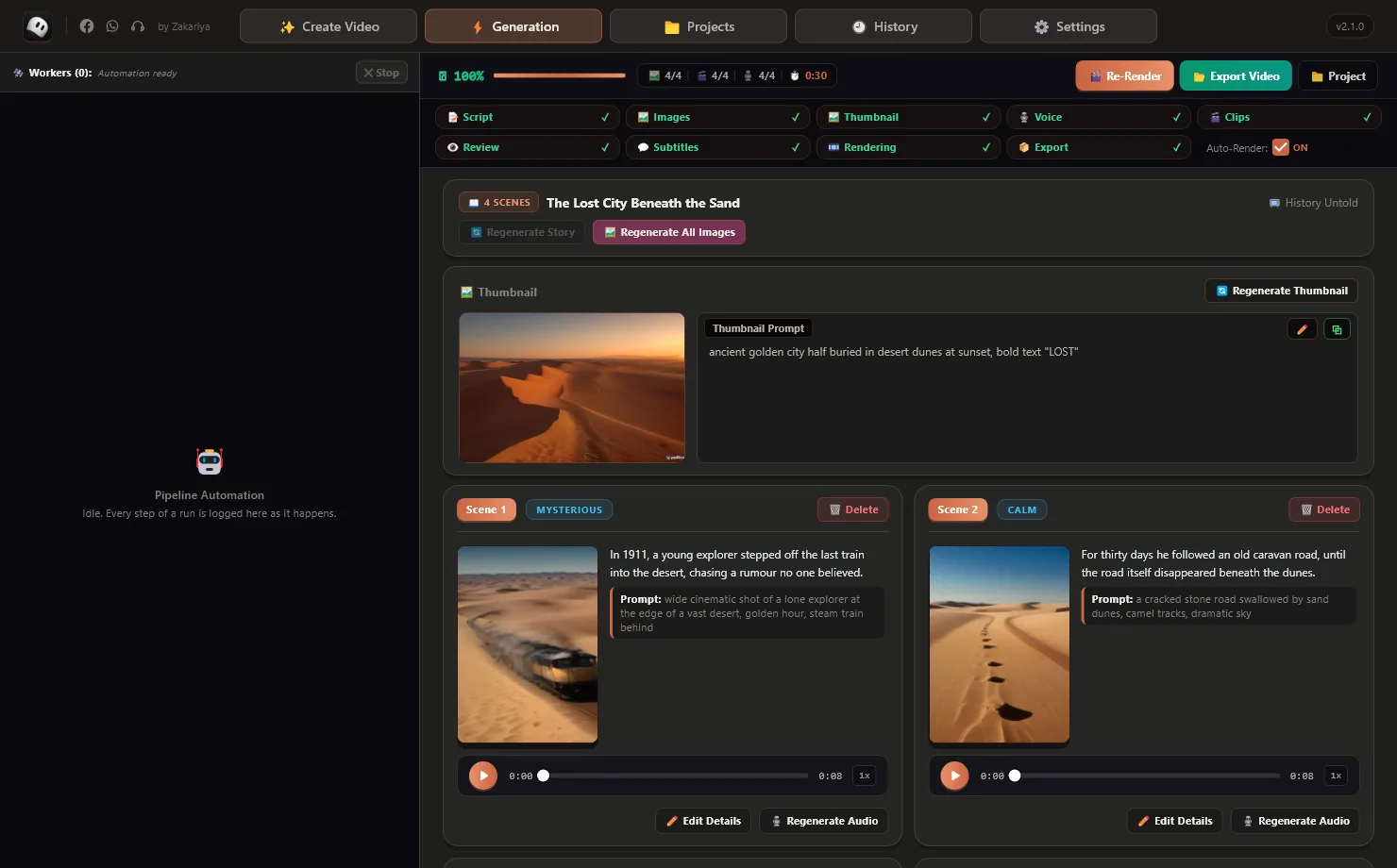
Every scene shows its picture, its words and its voice.
- Don't like a picture? Make a new one on that scene, or press Edit Details to change the prompt.
- Voice wrong? Press Regenerate Audio. Then press Re-Render.
- Done? Press Export Video to save your MP4.
10 Images, audio and more
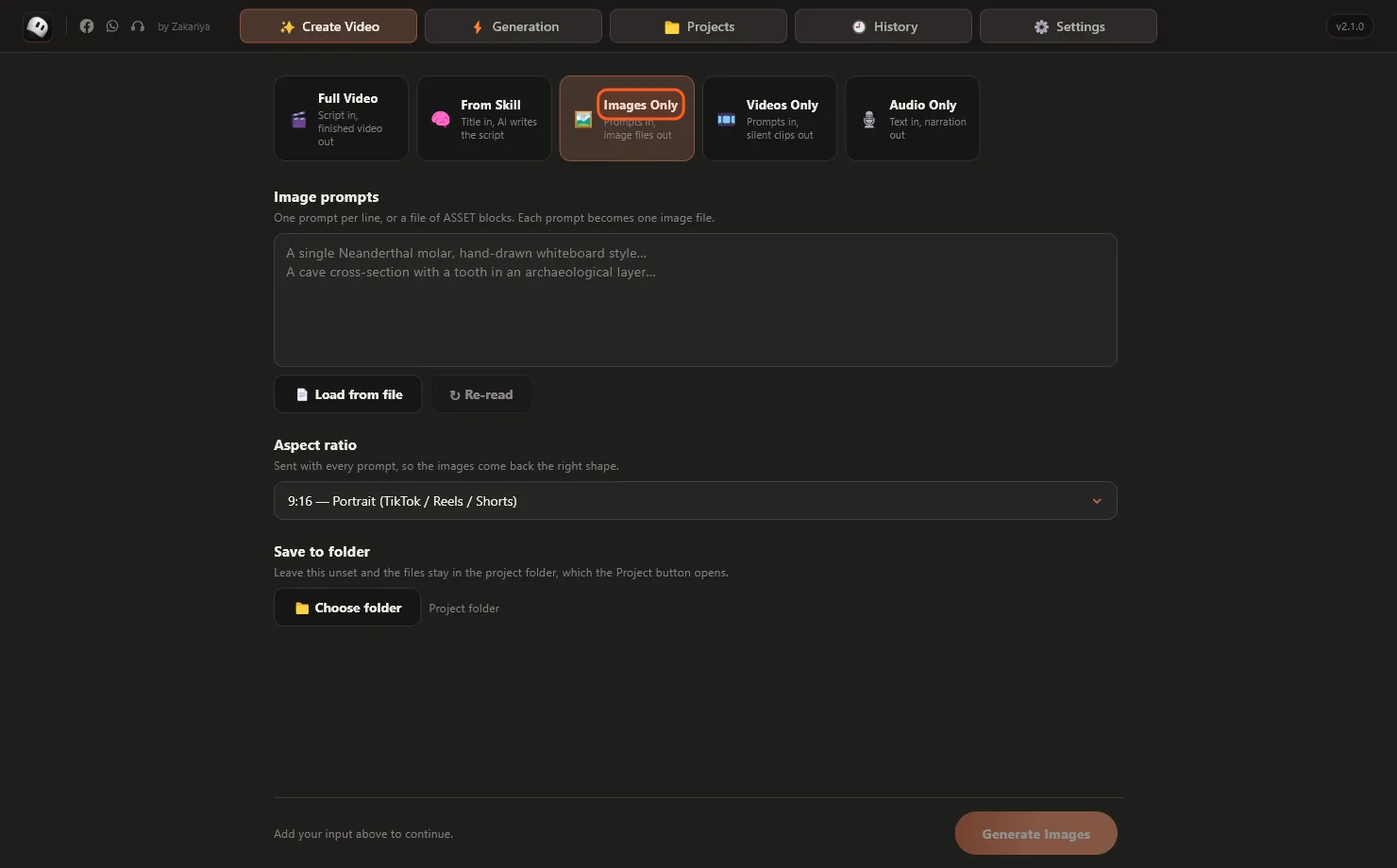
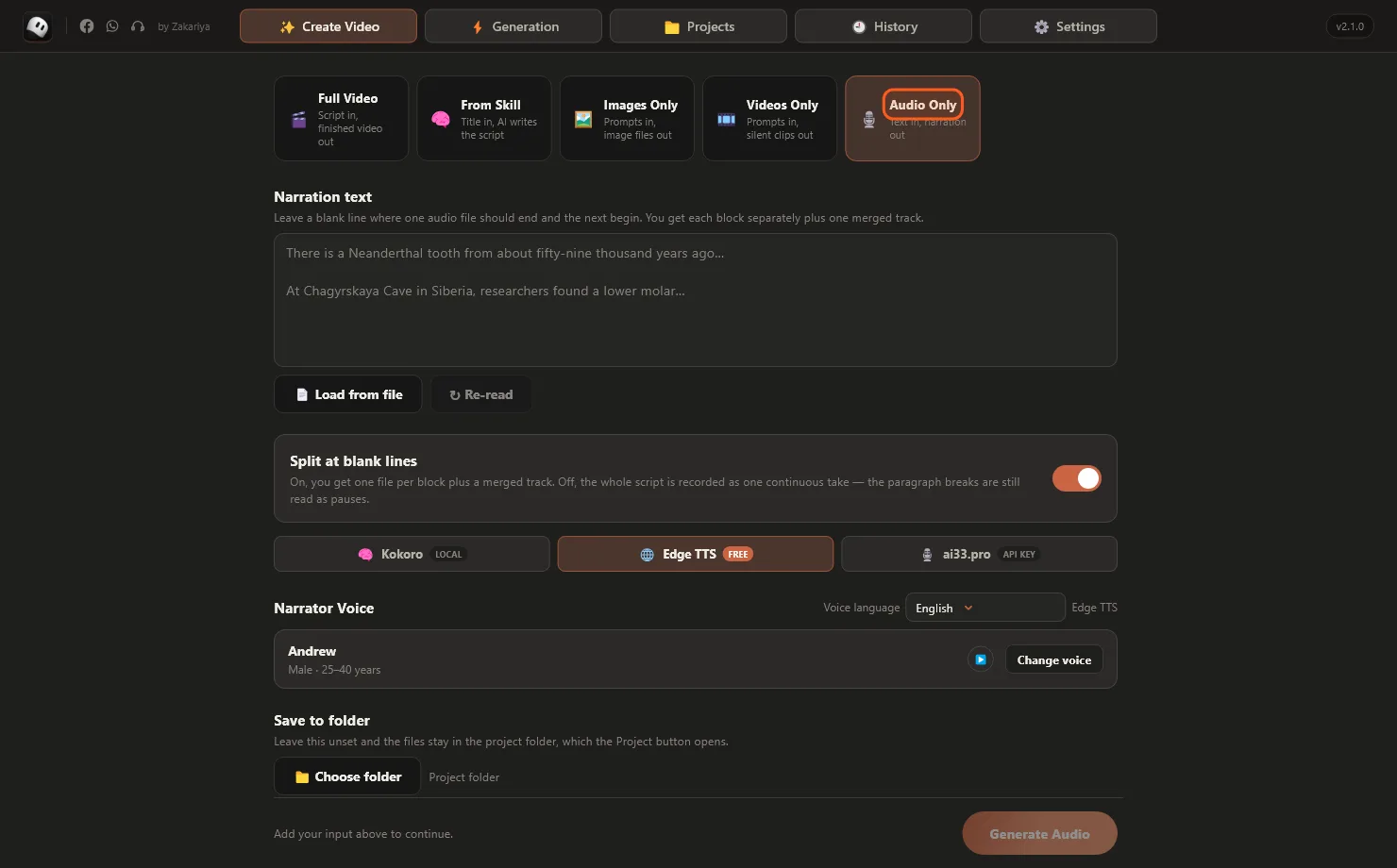
- From Skill: type only a title and AI writes the script in your channel's style.
- Videos Only: one prompt per line, one clip each (Meta AI or Flow).
- History (top menu): every video you made. Open Folder, Export or Regenerate any of them.
Need help?
“Meta AI is signed out”
Go to Settings → Accounts → Meta AI and press Sign in again (or paste new cookies), then Test. Until then ZBot uses Pollinations so the video still finishes.
“Windows is almost out of memory”
Close other big programs (many browser tabs, games, other AI tools) and try again.
Pictures are slow
Free Pollinations makes about one picture a minute. Connect Meta AI, Gemini or Flow in Step 4 for faster pictures.
Key already used / new PC
A key works on one PC. On the old PC press Settings → Release seat, or message support and we will release it.
Message us on WhatsApp with the Support button at zakariyastudio.com. Send a screenshot of what you see.